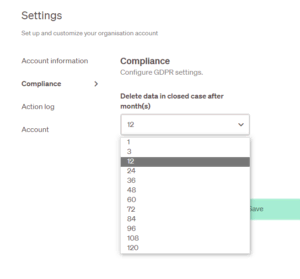
– Extended closed case deletion times
It is now possible to redact cases if you are an owner, admin or case handler.
When in a case, you will see a slider/toggle bar that you can turn On or Off. Slide the toggle to On to see the redacted version.
Owner, admin and case handler roles can see both original and redacted versions.
Users with a Viewer role can only see the redacted version. See example below where the name of the person has been removed by admin in the redacted version.
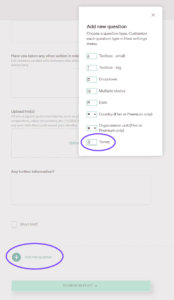
– ‘Terms of use’ approval on the report site
An organisation can now add a ‘Terms of use’ checkbox to its report site.
To activate this go to Whistleblowing site > Report form and Add a new question. In the pop-up box, choose Terms, fill out all the fields and save. If you tick the Mandatory Field it will not be possible for someone to submit a case without accepting the terms and conditions.
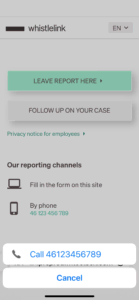
– Clickable phone number from mobile devices
If a phone number is provided on the reporting site, it links to make a call when it is clicked on a mobile device.
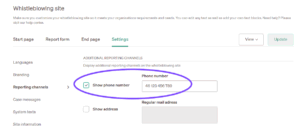
To add a phone number to the reporting site, go to Whistleblowing site > Settings > Reporting Channels. Enter the phone number and ensure the box ‘Show phone number’ is checked.
– Update on how to manage the Privacy policy
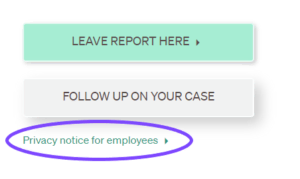
As standard, organisations get an updated default privacy policy, which they can now edit as they wish. The Privacy policy link is just below the buttons for submitting and following up on a report.
To edit the notice, go to Whistleblowing site > Start page and click on the Edit icon.
– Improved screen reader accessibility
The reporting site is now more accessible to screen readers and other similar tools.
– Partner logos on clients’ sites
Partners’ own brand logos can now be added to the footer of all of their clients’ sites.