Whistlelink webinars – a practical guide to whistleblowing Register now

Get useful tips, learn best practices and read the latest newsThe Whistlelink Blog

A quick guide to writing a G2 review for Whistlelink

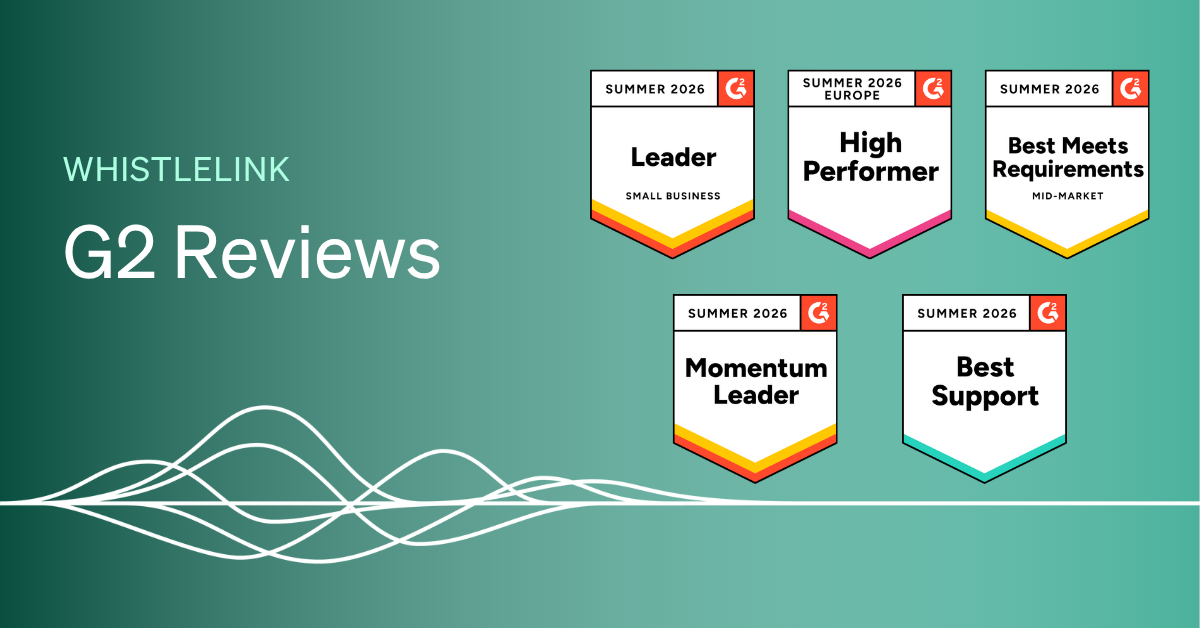
How to write a G2 review for Whistlelink.

If you use Whistlelink to manage your organisation’s whistleblowing channel, we’d love to hear about your experience. Reviews on G2 help other compliance officers and HR leaders decide whether Whistlelink is right for them, and your feedback genuinely shapes how we improve the platform.

We know writing a review can feel like just another task on a busy to-do list, so we’ve kept this guide short and practical. It should take about 5–10 minutes from start to finish.

Head to Whistlelink’s G2 review page and click “Write a Review.” If you’re already logged into G2, you’ll land straight in the review flow – skip to Step 3.

Step 2: Sign in to G2

You can log in via:

  • LinkedIn; usually the quickest option
  • Google account
  • Business email address; this helps G2 verify you’re a genuine user

First time on G2? You’ll receive a verification email to activate your account.

Step 3: Choose how you’d like to leave your review

G2 now gives you three ways to share your feedback, so pick whichever suits you best:
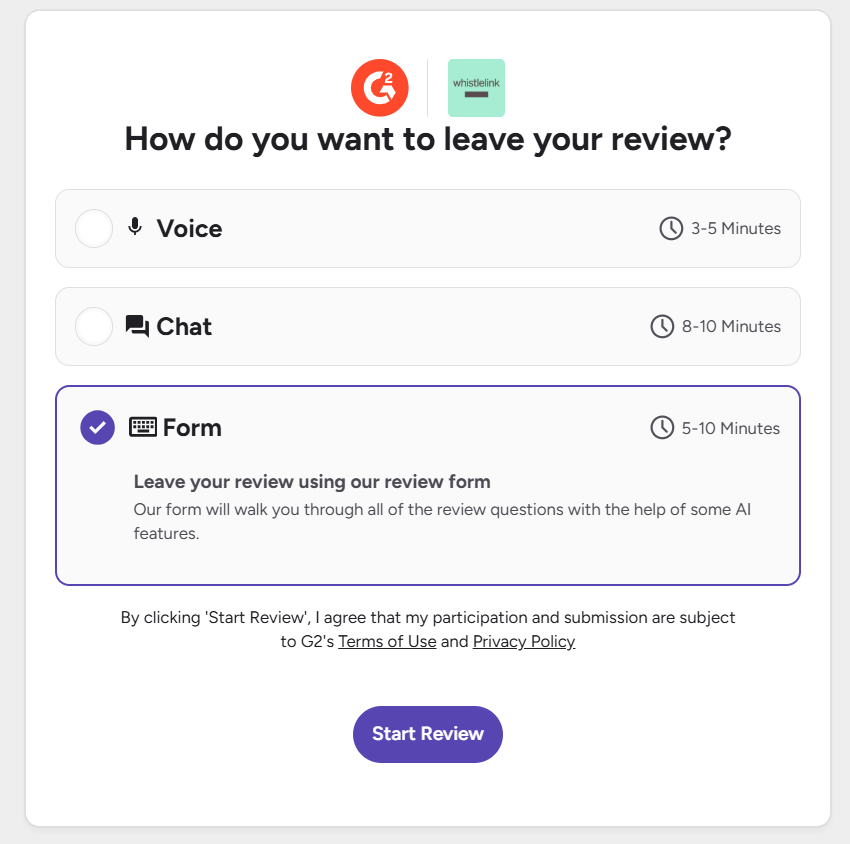
  • Voice: Speak naturally about your experience with an AI assistant, which turns what you say into a structured review you can then edit.
  • Chat: A conversational, back-and-forth format where you answer questions one at a time.
  • Form: The traditional written form, with all questions laid out on one page.


There’s no wrong choice here, go with whatever’s quickest and most comfortable for you.

Step 4: Write your review

Whichever format you choose, you’ll be asked for your overall rating, what you like, what you dislike, and the problem Whistlelink solves for your organisation. A few tips:

  • Be specific. Mentioning things like “compliance with EU whistleblowing laws”, “secure reporting” or “case management” helps other visitors understand exactly why you chose Whistlelink.
  • Fill in as much as you comfortably can. More detail makes your review more useful to others comparing whistleblowing solutions. This includes the feature ratings section, which is optional, so don’t feel you need to rate every single one.G2’s role labels can be confusing. “Administrator” usually means your compliance officer or HR lead who handles reports; “User” is anyone using the platform regularly; “Executive Sponsor” is whoever approved the purchase.
  • An AI assistant will help you with suggestions on what to include in your review. If you chose “Voice”, you’ll get a chance to review and edit the result before submitting.


    Note: The review does not have to be in English, pick the language you are most comfortable with!

Step 5: Verify you’re a real user

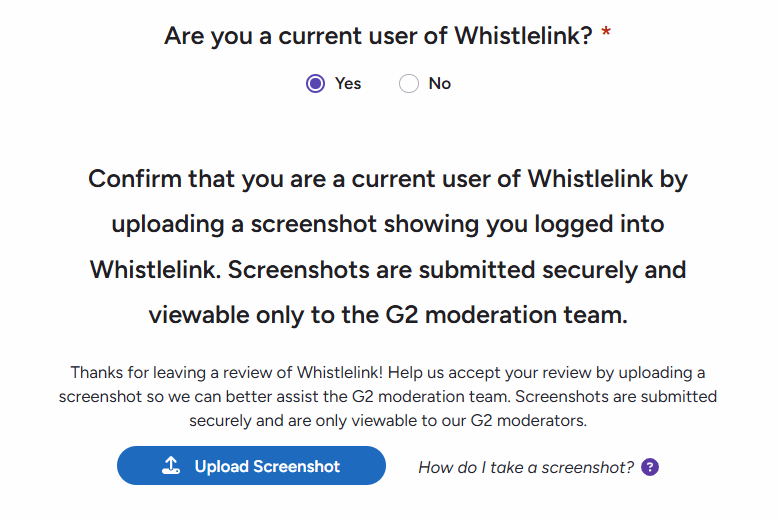
G2 needs to confirm you’re an actual Whistlelink user before publishing your review. You’ll be asked to either:

  • Upload a screenshot while logged into Whistlelink (e.g. your case dashboard or reporting form), or
  • Verify in-app, if that option is available via your login method.

Screenshots are seen only by G2’s moderation team and are never published. Avoid heavily editing or cropping the image beyond blurring sensitive case details, as this can lead to rejection.
Quick screenshot shortcuts:

  • Windows: Print Screen (PrtSc)
  • Mac: Cmd + Shift + 3
  • iPhone: Side button + volume up
  • Android: Power + volume down

Step 6: Submit your review

Happy with your answers? Click “Submit My Review.” That’s it – done!

G2 typically reviews submissions within a few business days, and will email you directly if anything needs attention. Once approved, your review goes live on Whistlelink’s G2 profile. You can edit your review any time via My Reviews on your G2 account.

FAQs

Do I need a G2 account to leave a review?
Yes, this confirms you’re not an employee, partner, or competitor of the product you’re reviewing. You can still choose to post anonymously.

Can I stay anonymous?
Yes. During the review, you’ll be asked whether to show your name and title publicly. If you decline, your review appears without identifying details.

Do I have to answer every question?
No, many are optional. The sections on overall satisfaction and the problem Whistlelink solves for you are the most valuable questions.

How long does approval take?
Usually 1–3 business days.


Thank you for taking the time to share your experience! It genuinely helps other organisations find the right whistleblowing solution, and helps us keep improving Whistlelink for teams like yours.


Are you looking for a safe and secure whistleblowing solution for your organisation?Fill in your details, and we'll be in touch shortly.

Talk with Territory Manager
Annelie Demred

Make internal reporting simple Secure. Anonymous. EU-Compliant.

Annelie Demred, CEO Whistlelink.

See how it works in practice

30 minute demo — no commitment.

Make internal reporting simple Secure. Anonymous. EU-Compliant.

Annelie Demred, CEO Whistlelink.

See how it works in practice

30 minute demo — no commitment.

WHISTLELINK BLOGWhat to read next...​

Sexual Harassment and Whistleblowing in the UK
Checklist for managing whistleblower reports 
Speak-up culture: How to build organisations where every voice is heard and acted upon
whistlelink-logo-white-2022.svg

Talk to Sales

Questions about which plan is right for your organisation, or how to get the most out of Whistlelink?

→ Or go to our page with Frequently Asked Questions

Get Product Support

Do you need quick answers about the product or are you experiencing any issues? We’re here to help. 

For confidentiality and data protection reasons, do not share personal data or details relating to specific whistleblowing cases. Submissions containing such information will be deleted.

Contact us

Nice to meet you!

Get in touch

Our team would like to offer you a free demo of Whistlelink.
Please select a suitable time in our calendar.

Territory Manager
Annelie Demred

Annelie Demred, CEO Whistlelink.

Get in touch

Fill out the form below and we'll be in touch as soon as possible.

Talk with Territory Manager
Annelie Demred

Annelie Demred, CEO Whistlelink.

HAPPY TO MEET YOU!

Get in touch

Our team is ready to answer your questions. Find the answer by visiting our support centre, or fill out the form below and we'll be in touch as soon as possible. Or simply give us a call!

Talk with Territory Manager
Annelie Demred

annelie.demred@whistlelink.com

Annelie Demred, CEO Whistlelink.